

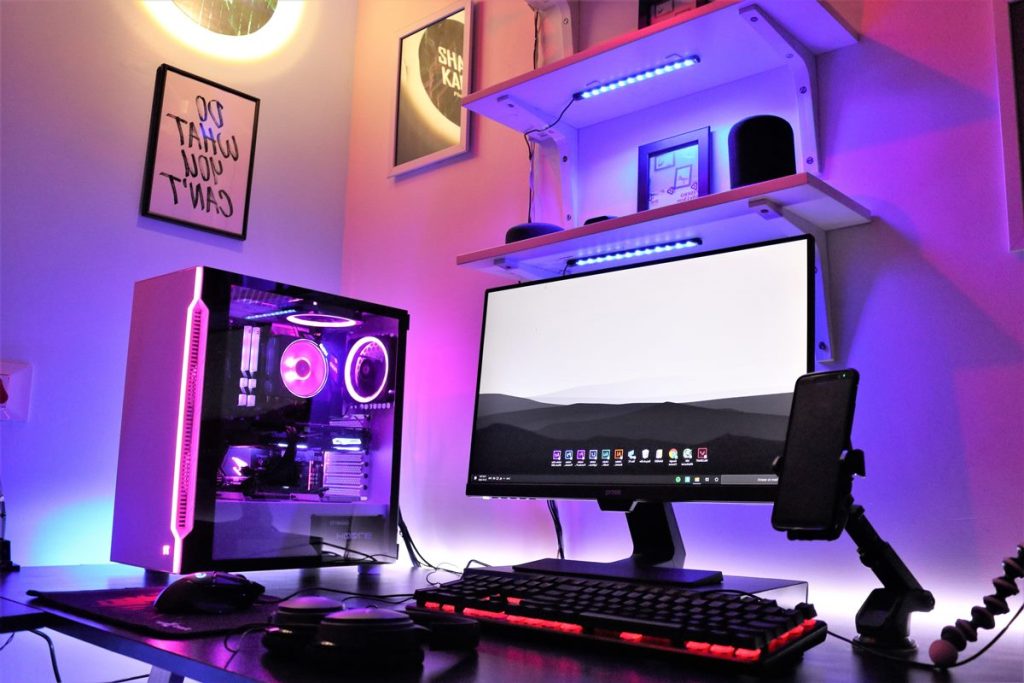
Building your first gaming PC can be an exciting and rewarding endeavor. Unlike buying a pre-built system, assembling your own allows for customization and often results in a more powerful machine for your budget. In this comprehensive guide, we’ll walk you through each step, from understanding PC components to testing and troubleshooting.
Building a gaming PC offers numerous advantages, including the ability to tailor the specifications to your preferences and gaming needs. Before diving into the process, it’s crucial to have a basic understanding of the components required for a gaming rig.
Understanding PC Components
At the core of any gaming PC are the central processing unit (CPU), graphics processing unit (GPU), random access memory (RAM), motherboard, and storage. Each component plays a vital role in determining the system’s overall performance. Let’s explore these components in detail.
Setting a Budget
Before embarking on your gaming PC journey, it’s essential to establish a budget. Knowing how much you’re willing to spend will guide your component choices and help you strike the right balance between performance and cost.
Choosing the Right Processor (CPU)
The CPU is the brain of your gaming PC. Selecting the right one involves considering factors such as clock speed, core count, and compatibility with other components. We’ll guide you through the options to find the best fit for your needs.
Selecting a Graphics Card (GPU)
The GPU is a critical component for gaming. We’ll compare popular graphics cards, discussing their performance and helping you choose the one that meets your gaming requirements.
Memory (RAM) Considerations
RAM directly impacts your gaming experience. We’ll delve into the role of RAM in gaming and provide insights on how much is sufficient for different gaming scenarios.
Motherboard Compatibility
Choosing a compatible motherboard is crucial for a successful build. We’ll explain the importance of compatibility and provide information on different motherboard form factors.
Storage Solutions
Understanding the difference between hard disk drives (HDDs) and solid-state drives (SSDs) is essential. We’ll help you decide which storage solution best suits your gaming needs.
Power Supply (PSU) Selection
Selecting the right power supply involves considering the wattage and efficiency. We’ll guide you through this process to ensure your components receive the necessary power.
Cooling Solutions
Proper cooling is vital for maintaining optimal performance. We’ll explore air and liquid cooling options, offering tips on keeping your gaming PC cool under heavy loads.
Assembly Process
Assembling your gaming PC requires careful attention to detail. We’ll provide a step-by-step guide to help you navigate through the assembly process and avoid common pitfalls.
BIOS Configuration
Configuring the basic settings in your motherboard’s BIOS is crucial. We’ll walk you through this process to ensure your components are recognized and configured correctly.
Operating System Installation
Installing the operating system is the next step. We’ll provide a detailed guide, including tips on optimizing your OS for gaming performance.
Driver Installation and Updates
Keeping your drivers up-to-date is essential for optimal performance. We’ll guide you on where to find and install the latest drivers for each component.
Testing and Troubleshooting
Once your gaming PC is assembled, thorough testing is necessary. We’ll outline the steps to test your system and provide common troubleshooting tips for potential issues.

Conclusion
Building your first gaming PC is a rewarding experience that allows for customization and performance optimization. By following this comprehensive guide, you’ll not only assemble a powerful gaming rig but also gain valuable insights into PC hardware.
Can I use any CPU with any motherboard?
No, it’s essential to check for compatibility between the CPU and motherboard socket type.
How much RAM do I need for gaming?
The recommended RAM for gaming varies, but 16GB is generally considered a good starting point.
Do I need a separate graphics card for gaming?
While some CPUs have integrated graphics, a dedicated graphics card is recommended for optimal gaming performance.
What is the difference between HDD and SSD storage?
HDDs offer more storage at a lower cost, while SSDs provide faster data access times and improved system responsiveness.
Why is cooling important for a gaming PC?
Cooling prevents components from overheating, ensuring stable performance and longevity of the gaming PC.

A highly knowledgeable writer at By5.org, Claire Richardson delivers captivating and content-rich articles, providing valuable insights. Her commitment to accuracy and reliable sourcing ensures credibility. As a key member of By5.org’s team, she enriches minds and fosters a well-informed community.


